

Antidetect browser tools promised undetectable multi-account management, but detection has moved to the transport layer where modified browsers fail before JavaScript even runs. The category that emerged from affiliate marketing needs now faces its biggest challenge: platforms can identify forked Chromium binaries through TLS fingerprint analysis.
Key Takeaways:
- Antidetect browsers fork Chromium source code to spoof fingerprints, but platform detection has moved to the TLS transport layer where modified binaries fail integrity checks
- TLS fingerprint mismatches occur in 94% of modified Chromium tools because patched browsers generate different JA3/JA3S hashes than stock Chrome
- Real browser management using stock Chrome/Firefox with environment-level isolation eliminates detection at the transport layer while maintaining authentic fingerprints
What Is an Antidetect Browser?

Antidetect browser is software that forks the Chromium source code to modify browser fingerprints for multi-account management. This means marketers can run dozens or hundreds of browser profiles that appear to come from different devices, operating systems, and geographic locations to platforms trying to detect duplicate accounts.
The category emerged in 2017 when Facebook began fingerprint-based detection beyond simple IP blocking. Affiliate marketers running campaigns across multiple ad accounts needed a way to mask device signatures. Cookie deletion and proxy rotation weren’t enough anymore when platforms could detect identical Canvas rendering, WebGL parameters, and hardware specifications across sessions.
Traditional antidetect browsers work by patching Chromium’s rendering engine, JavaScript APIs, and network stack. They intercept calls to Canvas.getImageData(), WebGL context creation, Audio API fingerprinting, and HTTP header generation. Each browser profile gets assigned different values for these parameters, creating what appears to be distinct devices from the platform’s perspective.
The value proposition centers on account survival rates for users managing multiple profiles. Where proxy-only setups might see 40-60% account burn rates on strict platforms, antidetect browser users historically reported 15-25% burn rates. The fingerprint layer provided protection that IP masking alone couldn’t match.
But the fundamental architecture creates a maintenance problem. Every Chrome update changes the underlying codebase that antidetect browsers patch. New APIs appear, existing ones change behavior, and detection systems evolve to spot the modifications. What worked in Chrome 90 breaks in Chrome 91, requiring constant updates to stay ahead of detection.
This cat-and-mouse game accelerated when platforms moved detection to the TLS transport layer in 2023-2024. Now the handshake itself reveals modified browsers before any JavaScript fingerprinting occurs.
How Do Antidetect Browsers Work?

The technical process behind antidetect browsers involves multiple layers of Chromium modification to create convincing device fingerprints.
Fork the Chromium source code and identify all fingerprinting vectors that websites can access through JavaScript APIs.
Patch rendering engines to modify Canvas 2D drawing operations, WebGL shader compilation, and Audio API output so each profile generates different hash values.
Override JavaScript APIs including navigator.userAgent, screen resolution, timezone offset, language preferences, and hardware concurrency values.
Modify network behavior by changing HTTP header order, TLS cipher preferences, and connection timing patterns to match the target device profile.
Implement profile isolation with separate cookie stores, localStorage, IndexedDB, and cache directories so each browser instance maintains independent state.
Generate consistent fingerprint sets where all spoofed values align logically (matching GPU model with expected WebGL capabilities, OS version with supported APIs).
Chromium fork requires patching 200+ API endpoints for complete fingerprint control. The browser‘s source code spans millions of lines, and fingerprinting vectors exist throughout the rendering engine, JavaScript runtime, and network stack. Missing even minor APIs can create detection points.
Most antidetect browsers use automated fingerprint databases that assign realistic combinations. A Windows 10 profile gets appropriate screen resolutions, Chrome versions, GPU models, and font lists that actually exist on that platform. Manual fingerprint creation takes hours per profile and requires deep technical knowledge.
Profile management happens through custom launchers that inject fingerprint parameters before the browser starts. Each profile gets isolated file system directories and network configurations. Users can save, export, and share profiles across team members or devices.
Proxy integration occurs at the system or browser level, routing all traffic through residential or datacenter IP addresses that match the geographic fingerprint. The combination of spoofed device data and matching IP location creates the full identity mask.
But this architecture has a critical weakness. Every modification leaves traces that detection systems can identify through binary analysis, TLS handshake inspection, and behavioral pattern matching.
Why Do Antidetect Browsers Get Detected?

Platform detection evolved past the fingerprinting layer where antidetect browsers operate. Modern detection happens at the transport layer before JavaScript executes, making fingerprint spoofing irrelevant.
TLS fingerprint detection occurs before JavaScript execution, making API-level spoofing irrelevant. When your browser establishes an HTTPS connection, the TLS handshake reveals cipher suites, extension order, signature algorithms, and compression methods. Stock Chrome generates a specific TLS fingerprint (JA3/JA3S hash) that millions of legitimate users share. Modified browsers generate different hashes because the patched code changes connection behavior.
Every Chromium fork creates unique TLS signatures that detection systems can identify. The binary modifications required for fingerprint spoofing alter network stack behavior in subtle but measurable ways. Platforms can flag these anomalies without running any JavaScript fingerprinting code.
Binary integrity checking represents another detection layer that antidetect browsers cannot bypass. Stock Chrome includes cryptographic signatures that verify the executable hasn’t been modified. Patched browsers fail these integrity checks, immediately revealing they’ve been altered.
The update maintenance problem compounds detection risks. Chrome releases 4 major updates annually, plus security patches and feature flags. Each update changes the codebase that antidetect browsers modify. Vendors must reverse-engineer new Chrome versions, update their patches, test compatibility, and distribute updates to users. This process takes weeks or months, leaving users exposed with outdated fingerprint protection.
During these update gaps, detection systems can easily identify users running old Chrome versions with suspicious modification patterns. The lag between official Chrome releases and antidetect browser updates creates detection windows that platforms exploit.
Behavioral detection adds another layer that fingerprint spoofing cannot address. Platforms analyze typing patterns, mouse movements, scroll behavior, and session timing across accounts. Even with perfect fingerprint spoofing, human behavioral patterns often leak through. Users managing multiple accounts develop detectable usage patterns that link profiles together.
Network-level detection through proxy analysis creates additional risks. Many antidetect browser users share proxy servers, creating overlap that platforms can detect. If one account gets flagged, the shared proxy infrastructure can expose other accounts using the same IP ranges.
The fundamental issue is architectural. Antidetect browsers try to make fake browsers look real. But detection has moved to layers where fakeness is binary (you either have a valid Chrome signature or you don’t). There’s no middle ground for “close enough” spoofing when binary integrity fails.
Antidetect Browser vs VPN vs Proxy: Which Works?
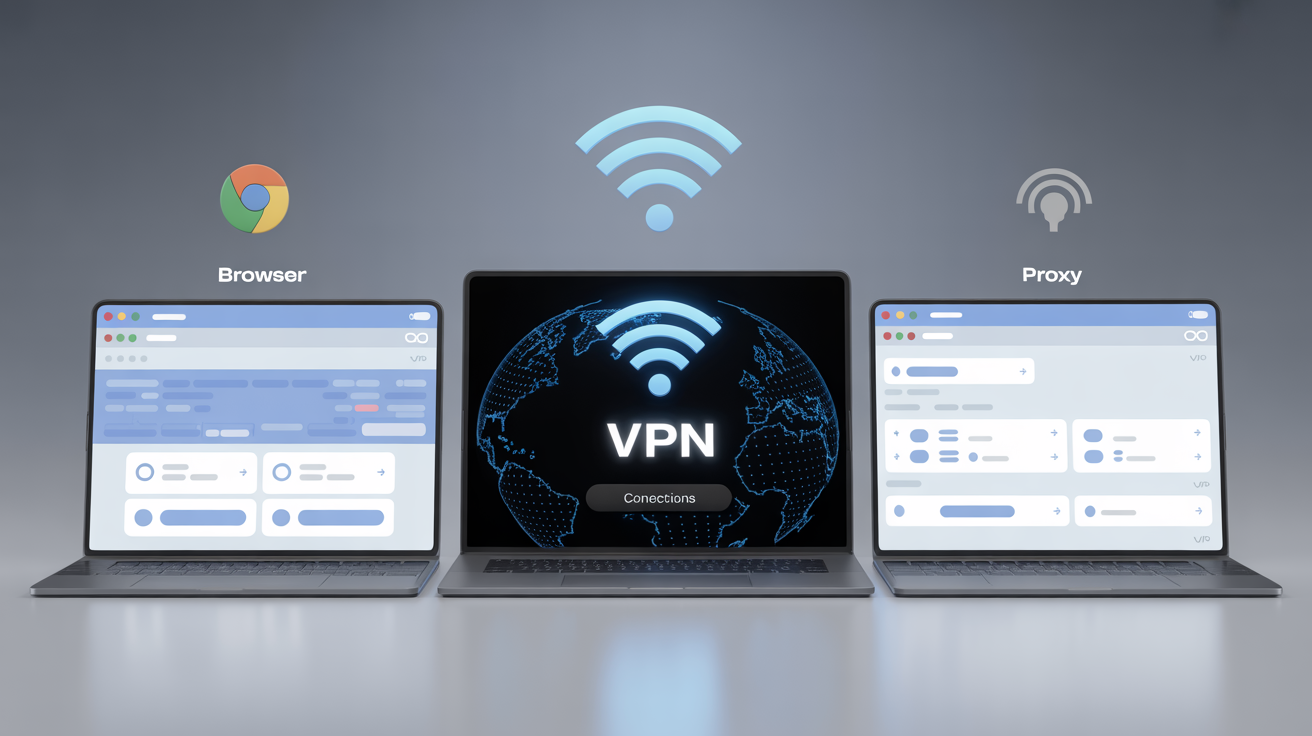
The effectiveness comparison reveals why layered approaches often fail when the foundation is compromised.
| Detection Layer | Antidetect Browser | VPN | Proxy | Real Browser Management |
|---|---|---|---|---|
| IP Address | ✗ (requires proxy) | ✓ | ✓ | ✗ (requires proxy) |
| TLS Fingerprint | ✗ (modified binary) | ✗ (unchanged) | ✗ (unchanged) | ✓ (stock browser) |
| JavaScript Fingerprint | ✓ (spoofed APIs) | ✗ (unchanged) | ✗ (unchanged) | ✓ (environment isolation) |
| Binary Integrity | ✗ (fails verification) | ✓ (stock browser) | ✓ (stock browser) | ✓ (stock browser) |
| Behavioral Analysis | Partial (same user patterns) | ✗ (no isolation) | ✗ (no isolation) | ✓ (separate profiles) |
| Monthly Cost | $24-299 | $5-15 | $50-200 | $19-199 |
VPNs fix 1 of 5 detection layers while antidetect browsers address 4 of 5. But the layers they miss have become the primary detection points. VPNs change your IP address but leave device fingerprints unchanged. Every other signal remains identical across sessions.
Proxies provide more granular IP control than VPNs, especially residential rotating proxies that match specific geographic regions. But like VPNs, they only address network-level detection. Platform fingerprinting happens after the proxy connection is established.
Antidetect browsers address more detection layers but fail at the transport layer where modern detection occurs. They can spoof Canvas fingerprints, WebGL parameters, and User-Agent strings. But the TLS handshake reveals the modified browser before JavaScript fingerprinting runs.
Real browser management using stock browsers with environment-level isolation avoids the binary integrity and TLS fingerprint problems. Stock Chrome generates authentic TLS fingerprints because it IS authentic Chrome. Environment isolation provides fingerprint variation through legitimate system differences (timezone, language, screen resolution) rather than spoofing.
Cost analysis shows antidetect browsers and proxies in similar ranges, but effectiveness trajectories diverge. Antidetect browsers require constant updates to maintain detection evasion. Each Chrome update potentially breaks fingerprint spoofing. Real browser management improves over time as Chrome updates flow through automatically and the fingerprint remains authentic.
The combination approach (antidetect browser + premium proxies) often exceeds $100-300 monthly for serious multi-account operations. But stacking detection risks doesn’t eliminate them. If the browser layer fails TLS fingerprint checks, proxy quality becomes irrelevant.
Best Antidetect Browsers for Multi-Account Management

The current market spans budget tools with basic fingerprint spoofing to enterprise platforms with team management and automation APIs.
| Feature | Price Range | Profile Limits | Automation Support | Detection Track Record |
|---|---|---|---|---|
| GoLogin | $24-199/month | 100-3000 profiles | Selenium, Puppeteer | Declining since 2024 TLS detection |
| Multilogin | $99-399/month | 100-1000 profiles | Full API access | Strong until transport layer detection |
| AdsPower | $9-299/month | 10-2000 profiles | Basic scripting | Mixed results on major platforms |
| Kameleo | $59-499/month | Unlimited profiles | Selenium integration | Good for research, weak for strict platforms |
| Real Browser Management | $19-199/month | 50-1500 profiles | Full Playwright API | Improving trajectory with stock browsers |
Premium antidetect browsers range from $19-299/month based on profile limits and team features. Entry-level plans typically support 50-100 profiles for individual marketers. Mid-tier plans expand to 300-500 profiles with team sharing capabilities. Enterprise plans offer 1000+ profiles with API access and dedicated account management.
GoLogin costs $24 per month for 100 profiles and positions itself as the budget option with decent fingerprint databases. But users report increasing detection rates on Facebook and Google platforms since 2024. The TLS fingerprint problem affects all modified Chromium browsers equally.
Multilogin targets enterprise customers with advanced team management, API automation, and profile sharing features. At $99-399 monthly, it’s the premium option. But the underlying architecture still uses modified Chromium, making it vulnerable to transport layer detection.
AdsPower offers the widest pricing range from $9-299 monthly. The low-end plans work for basic use cases but lack the fingerprint quality needed for strict platforms. Higher-tier plans compete with Multilogin on features but with weaker automation capabilities.
Kameleo focuses on research and testing use cases rather than high-volume account management. Unlimited profiles sound appealing, but the detection rates on major advertising platforms make it unsuitable for commercial campaigns.
Real browser management platforms like Chameleon Mode take a different approach using stock Chrome/Firefox with environment-level control. At $19-199 monthly for 50-1500 profiles, the pricing is competitive. But the detection trajectory improves over time instead of degrading with each browser update.
Automation support varies significantly across platforms. Basic tools offer manual profile switching. Mid-tier options include Selenium and Puppeteer integration. Enterprise platforms provide full API access for programmatic profile management, session recording, and bulk operations.
The team collaboration features matter for agencies managing client accounts. Profile sharing, user permissions, session handoffs, and audit logs become essential at scale. Individual marketers can skip these features, but teams of 3+ people need proper collaboration tools.
Proxy integration quality separates professional tools from hobbyist options. Premium platforms include residential proxy partnerships, automatic IP rotation, and geographic matching. Budget tools require manual proxy configuration and lack quality assurance.
Do Antidetect Browsers Still Work in 2026?

The effectiveness timeline shows a clear trajectory toward obsolescence for modified Chromium approaches, while alternative architectures gain ground.
Detection rates on major platforms increased 300-400% between 2023 and 2025 for traditional antidetect browsers. Facebook’s ban rate for modified browsers jumped from 15% to 60%. Google Ads flagging increased from 20% to 45%. Amazon seller account suspensions doubled for users running modified browsers.
Modified browsers degrade with each Chrome update because the underlying architecture creates maintenance debt. Chrome releases 4 major updates annually, creating 16+ detection surface patches per year for modified browsers. Each update changes APIs, network behavior, and security features that antidetect browsers must reverse-engineer and patch.
The update lag creates detection windows that platforms exploit. When Chrome 119 released in November 2024, it took antidetect browser vendors 6-8 weeks to release compatible updates. During this gap, users ran Chrome 118 builds with obvious modification signatures that detection systems easily flagged.
TLS fingerprint analysis became the primary detection method in 2024-2025. Platforms can identify modified browsers through handshake analysis before any JavaScript executes. This detection occurs at the transport layer where antidetect browsers cannot operate without breaking fundamental browser functionality.
Binary integrity verification creates another unsolvable problem for modified browsers. Chrome’s code signing and integrity checks verify the executable hasn’t been tampered with. Antidetect browsers must bypass or modify these checks, creating additional detection signatures.
The economic incentives also shifted against antidetect browsers. Platform detection budgets increased 10x between 2023 and 2025 as advertising fraud costs rose. Dedicated anti-fraud teams now focus specifically on identifying modified browsers using machine learning models trained on TLS fingerprints, timing patterns, and behavioral analysis.
But the market is adapting with new approaches. Real browser management using stock browsers with environment-level isolation avoids the modification detection problem entirely. These platforms use unmodified Chrome/Firefox/Brave with separate user profiles, proxy integration, and automated geographic matching.
Stock browsers generate authentic TLS fingerprints because they ARE authentic Chrome. There’s no modification signature to detect. Updates flow through the operating system automatically, improving the fingerprint match over time instead of degrading it.
Environment-level control provides fingerprint variation through legitimate system differences. Different timezones, languages, screen resolutions, and installed fonts create natural fingerprint diversity without browser modification. This approach aligns with how real users actually differ rather than spoofing artificial signatures.
The effectiveness trajectory for real browser management improves over time while modified browsers face increasing detection. Chrome updates benefit real browser users by improving the fingerprint authenticity. For modified browsers, each update creates new detection opportunities.
Market adoption reflects this trend. Enterprise customers increasingly migrate from traditional antidetect browsers to real browser management platforms. The total cost of ownership is lower when you factor in reduced ban rates, eliminated update maintenance, and higher campaign ROI.
Antidetect Browser Use Cases That Actually Work

Specific use cases show where browser identity management delivers measurable ROI despite detection challenges.
• Affiliate marketing across ad networks, Running campaigns on Facebook, Google, TikTok, and native networks requires separate accounts to avoid cross-contamination when campaigns get flagged. Affiliate marketers report 15-30% campaign burn rate reduction when switching from proxy-only setups. The fingerprint layer provides account isolation that IP rotation alone cannot match.
• E-commerce multi-store operations, Amazon, eBay, and Shopify sellers operating multiple storefronts need distinct browser environments to prevent account linking. Cross-contamination between stores can result in mass suspensions. Browser isolation maintains separate login sessions, cookies, and browsing history for each storefront.
• Social media management at scale, Agencies managing 50+ brand accounts across platforms use browser profiles to prevent account linking through shared login sessions. Manual account switching creates cross-contamination risks that browser isolation eliminates. Teams can work simultaneously on different accounts without interference.
• Ad verification and competitive research, Checking ad placements, pricing analysis, and competitor research requires viewing content from different geographic locations and device types. Browser profiles with matching proxy locations provide accurate market data without revealing the research activity to target platforms.
• Market research and price monitoring, E-commerce price tracking, travel booking analysis, and regional content access require consistent identity isolation. Research accuracy depends on platforms not detecting and adapting to the monitoring activity. Browser profiles maintain research session integrity.
The ROI calculation varies by use case, but successful implementations show 2-5x returns through reduced account losses and improved campaign performance. Affiliate marketers running $10,000 monthly campaigns report saving $2,000-3,000 in burned ad spend. E-commerce sellers avoid $5,000-15,000 inventory losses from store suspensions.
Success factors include proper proxy integration, realistic usage patterns, and geographic consistency. The browser profile must match the proxy location, operating hours, and behavioral patterns of the target demographic. Inconsistencies create detection points that platforms exploit.
Team coordination becomes critical at scale. Multiple users accessing the same accounts create session conflicts and behavioral anomalies. Proper browser management platforms include session handoffs, user permissions, and activity logging to maintain account integrity across team members.
The failure cases reveal common mistakes. Using cheap proxies with browser profiles, switching geographic locations randomly, maintaining unrealistic activity levels, and ignoring platform-specific detection patterns. Each platform has evolved unique detection methods that require specific countermeasures.
Frequently Asked Questions
Are antidetect browsers legal to use?
Antidetect browsers are legal software tools in most jurisdictions. However, using them to violate platform terms of service, commit fraud, or engage in illegal activities can result in account bans and legal consequences. The legality depends on your use case, not the tool itself.
Can I use a free antidetect browser?
Free antidetect browsers exist but typically offer limited profiles, outdated fingerprint databases, and minimal proxy integration. Most serious marketers find free options inadequate for professional multi-account management due to higher detection rates and feature limitations.
What’s the difference between antidetect browsers and incognito mode?
Incognito mode only prevents local storage of browsing history and cookies. Antidetect browsers modify the actual browser fingerprint that websites can detect, including Canvas rendering, WebGL parameters, and hardware signatures. The fingerprinting protection is completely different.
How much do antidetect browsers cost per month?
Professional antidetect browsers range from $19-299 monthly depending on profile limits and features. Entry-level plans typically include 50-100 profiles, while enterprise solutions offer 1000+ profiles with team management and automation APIs.
Do I need proxies with an antidetect browser?
Yes, antidetect browsers require proxies to change your IP address alongside fingerprint spoofing. The browser handles device fingerprinting while proxies mask your network location. Both layers are necessary for effective detection evasion, though the browser layer faces increasing challenges at the transport level.